




Hellopeter
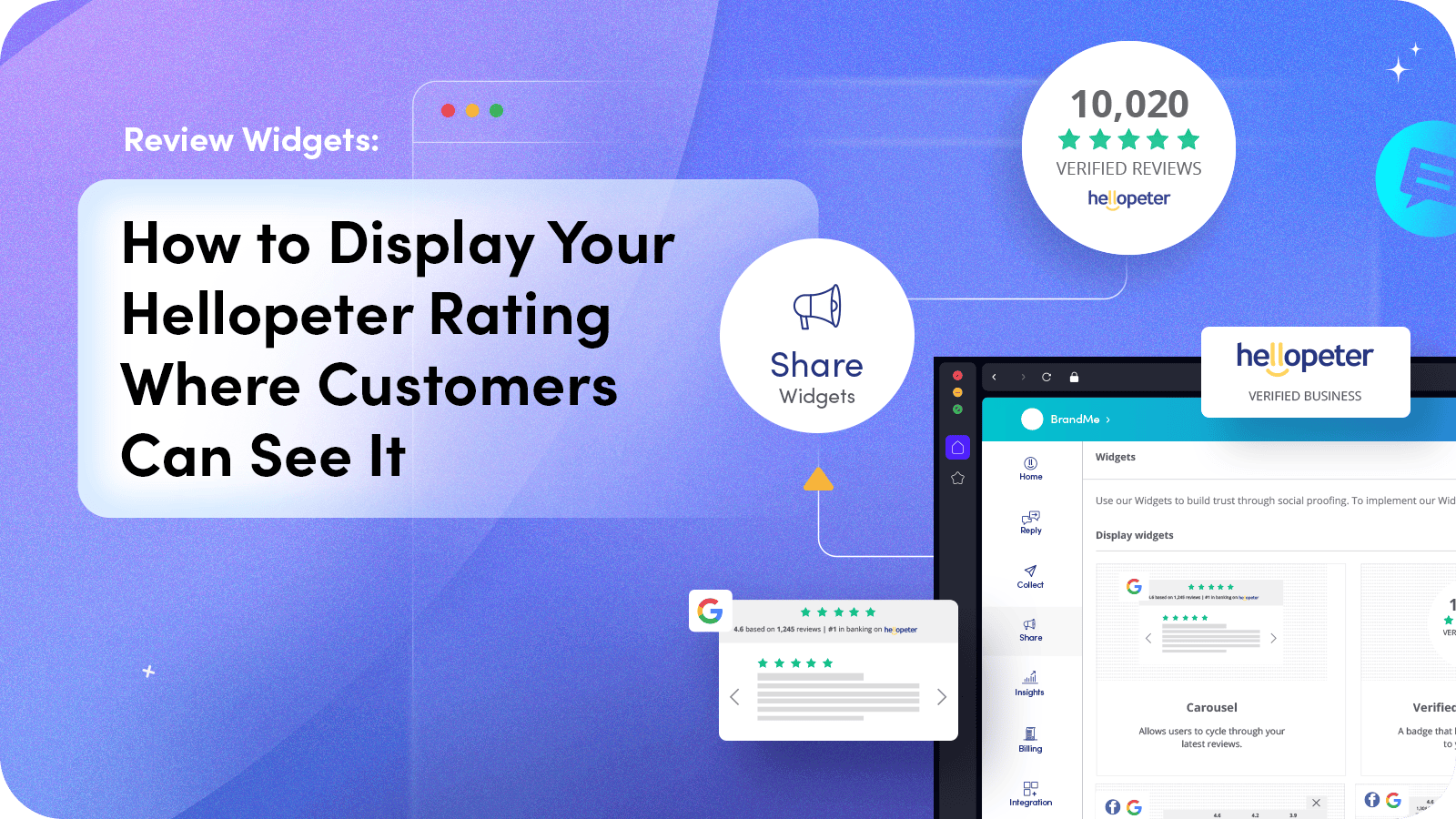
Your Hellopeter reviews are building trust for your business on the platform. But if that trust only exists on hellopeter.com, you’re missing the moment that matters most: the moment a potential customer is on your website, deciding whether to buy, book, or enquire.
Review widgets solve this by bringing your independently verified reviews and rating directly onto your own website. They’re not testimonials you’ve curated. They’re live, public data from a platform consumers already trust. That distinction is what makes them effective.
Why Website Social Proof Matters More Than You Think
Most consumers who visit your website have already done some research. They may have found you through search, clicked an ad, or received a referral. By the time they land on your site, they’re evaluating and not browsing. This is the decision window, and it’s narrow.
In that window, consumers are looking for reasons to trust you and reasons not to. A visible, independently verified review rating gives them the trust signal they need without leaving your site. Without it, they’ll open another tab, search for reviews, and potentially encounter a competitor’s profile instead.
The businesses that embed review widgets on their websites are not just displaying a number. They’re shortcutting the research process and keeping the customer in their decision flow.
What Hellopeter’s Widget Library Offers
Hellopeter’s Widget Library provides multiple display formats that businesses can embed on their websites. Each widget type serves a different purpose and fits different page layouts.
The standard rating badge displays your overall Hellopeter score and total review count in a compact format suitable for headers, footers, or sidebar placement. The review carousel displays recent reviews in a scrolling format, giving visitors a live feed of customer feedback. The full review widget combines your rating, review count, and recent reviews in a single embedded element.
All widgets pull data directly from your Hellopeter profile in real time. When a new review is published, it appears in your widget automatically. When your TrustIndex changes, the widget reflects the update. There’s no manual maintenance required.
Where to Place Review Widgets for Maximum Impact
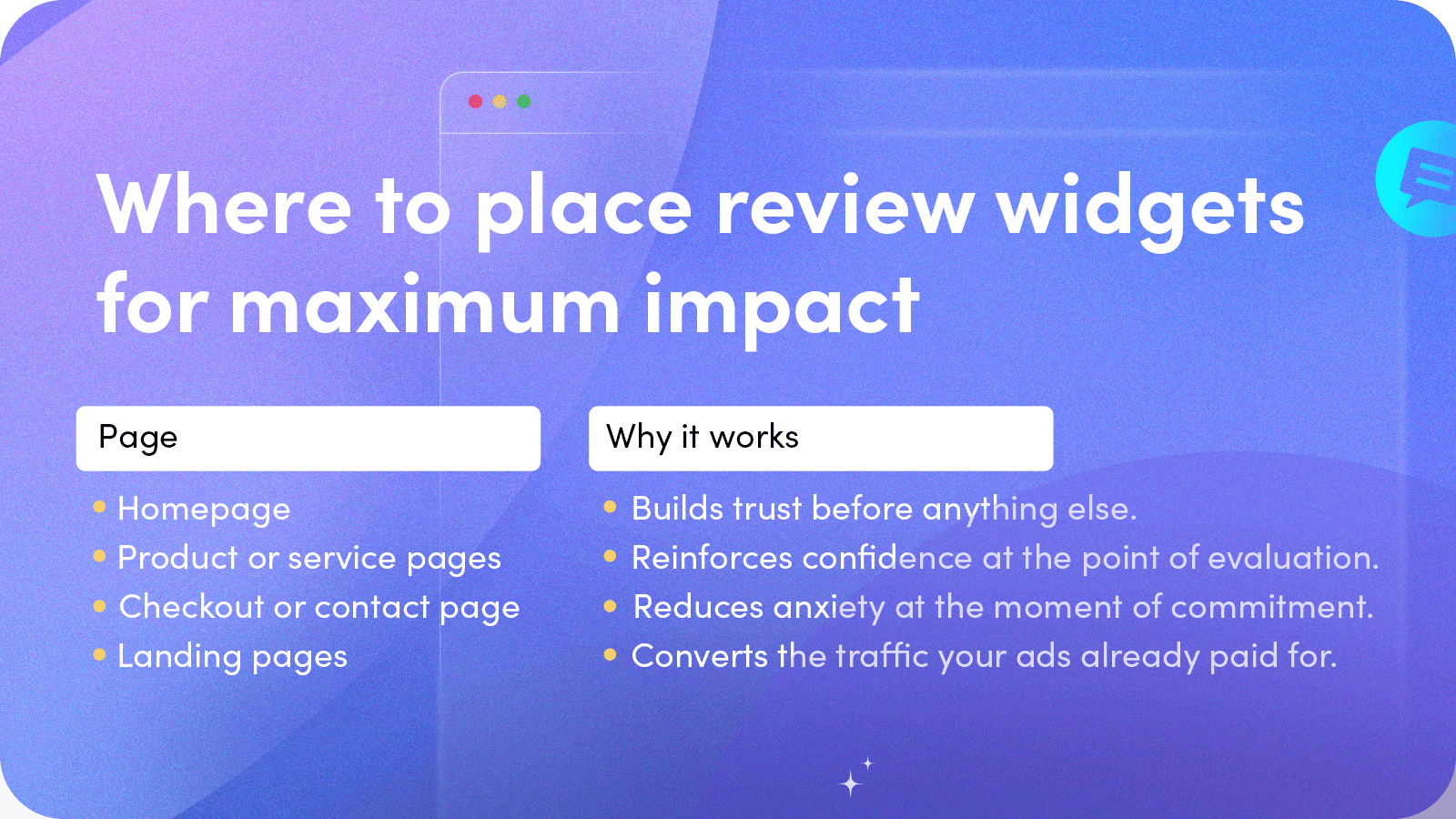
- Homepage
Your homepage is your first impression for many visitors. A review widget in a prominent position (above the fold or immediately below your value proposition ) establishes trust before the visitor engages with any other content. It answers the unspoken question: can I trust this business?
Product or Service Pages
When a customer is evaluating a specific product or service, seeing relevant review data on that page reinforces their confidence. This is particularly effective for service businesses where the customer cannot physically inspect what they are buying before committing.
When a customer is evaluating a specific product or service, seeing relevant review data on that page reinforces their confidence. This is particularly effective for service businesses where the customer cannot physically inspect what they are buying before committing.
- Checkout or Contact Page
This is the highest-value placement. The checkout or contact page is where purchase anxiety peaks. A visible trust signal at this moment directly reduces abandoned carts and incomplete enquiry forms. It’s the difference between a customer who hesitates and one who commits.
- Landing Pages
If you run paid advertising campaigns that drive traffic to specific landing pages, embedding a review widget on those pages improves return on ad spend. The ad got them to the page; the social proof converts them.
Implementation: How to Add Widgets to Your Website
Adding a Hellopeter widget to your website requires minimal technical skill. The process involves selecting your preferred widget format from the Widget Library on biz.hellopeter.com, customising the display settings to match your website’s design, and copying the provided embed code into your website’s HTML.
For businesses using popular website builders like WordPress, Shopify, or Wix, the embed code can be inserted using a custom HTML block. For businesses with developer support, the integration is straightforward and typically takes less than 30 minutes.
The Conversion Impact of Visible Reviews
Displaying reviews where customers can see them is not a branding exercise. It’s a conversion strategy. Businesses that embed third-party review data on their websites consistently report improvements in enquiry rates, reduced bounce rates on key pages, and shorter decision cycles.
The logic is simple: trust reduces friction. When a customer trusts your business, they spend less time deliberating, ask fewer qualification questions, and are more likely to complete the transaction. A review widget does not create that trust. Instead, your customers do. The widget makes it visible at the right moment.
|
RELATED ARTICLES
How to Request a Review Update: From Complaint to Resolved
Why Black Friday Customer Experience Beats The Discounts

How Super Communications Got to Rank #1 in 3 Industries on Hellopeter
UP NEXT
7 THINGS CUSTOMERS CHECK ONLINE BEFORE BUYING FROM YOU THIS BLACK FRIDAY